
 FantasticSPMandFantasticSPM
648831ac67
# fix: improve previews for small sprites ## Description Small sprites appeared at their original display size in the sprite picker, making them difficult to recognize when choosing an icon or pattern. - Render previews in a fixed 36 × 36 CSS pixel canvas. Scale and center each sprite while preserving its aspect ratio. - Prefer matching `@2x.json` metadata and `@2x.png` atlas for previews. Use the base atlas when `@2x` metadata is unavailable. - Size the canvas backing store for the display's device pixel ratio. Preserve query strings and fragments when building sprite URLs. Follow-up to [#2364](https://github.com/maplibre/maputnik/pull/2364), which extended sprite previews to all sprite-backed fields as part of [#1294](https://github.com/maplibre/maputnik/issues/1294). ## Visuals ### Before Small sprites appear at their original display size in the picker.  ### After The same sprites are scaled to fit the fixed-size preview using the `@2x` atlas.  ## Verification All checks for this change passed. - Playwright covers the `@2x` atlas, the centered 36 × 36 preview for a small rectangular sprite, the 72 × 72 canvas at device pixel ratio 2, and the base atlas fallback. Existing coverage exercises SDF, sprite selection, image failures, and catalog updates. - `npm run lint` - `npm run lint-css` - `npm run build` - `npm run test-unit -- --run` (55 passed) - `npm run test -- e2e/sprite-picker.spec.ts --workers=2` (21 passed) - Confirmed that deliberately changing the expected CSS width, backing canvas width, and fallback pixel color fails the corresponding tests. Restored the correct assertions. ## Launch Checklist - [x] Briefly describe the changes in this PR. - [x] Link to related issues. - [x] Include before/after visuals or GIFs if this PR includes visual changes. - [x] Write tests for all new functionality. - [x] Add an entry to `CHANGELOG.md` under the `## main` section. Co-authored-by: FantasticSPM <asd507172@gmail.com>

Maputnik


A free and open visual editor for the MapLibre GL styles targeted at developers and map designers.
Usage
- 🔗 Design your maps online at https://www.maplibre.org/maputnik/ (all in local storage)
- 🔗 Use the Maputnik CLI for local style development
- In a Docker, run this command and browse to http://localhost:8888, Ctrl+C to stop the server.
docker run -it --rm -p 8888:8000 ghcr.io/maplibre/maputnik:main
To see the CLI options (for example file watching or style serving) run:
docker run -it --rm -p 8888:8000 ghcr.io/maplibre/maputnik:main --help
You might need to mount a volume (-v) to be able to use these options.
Documentation
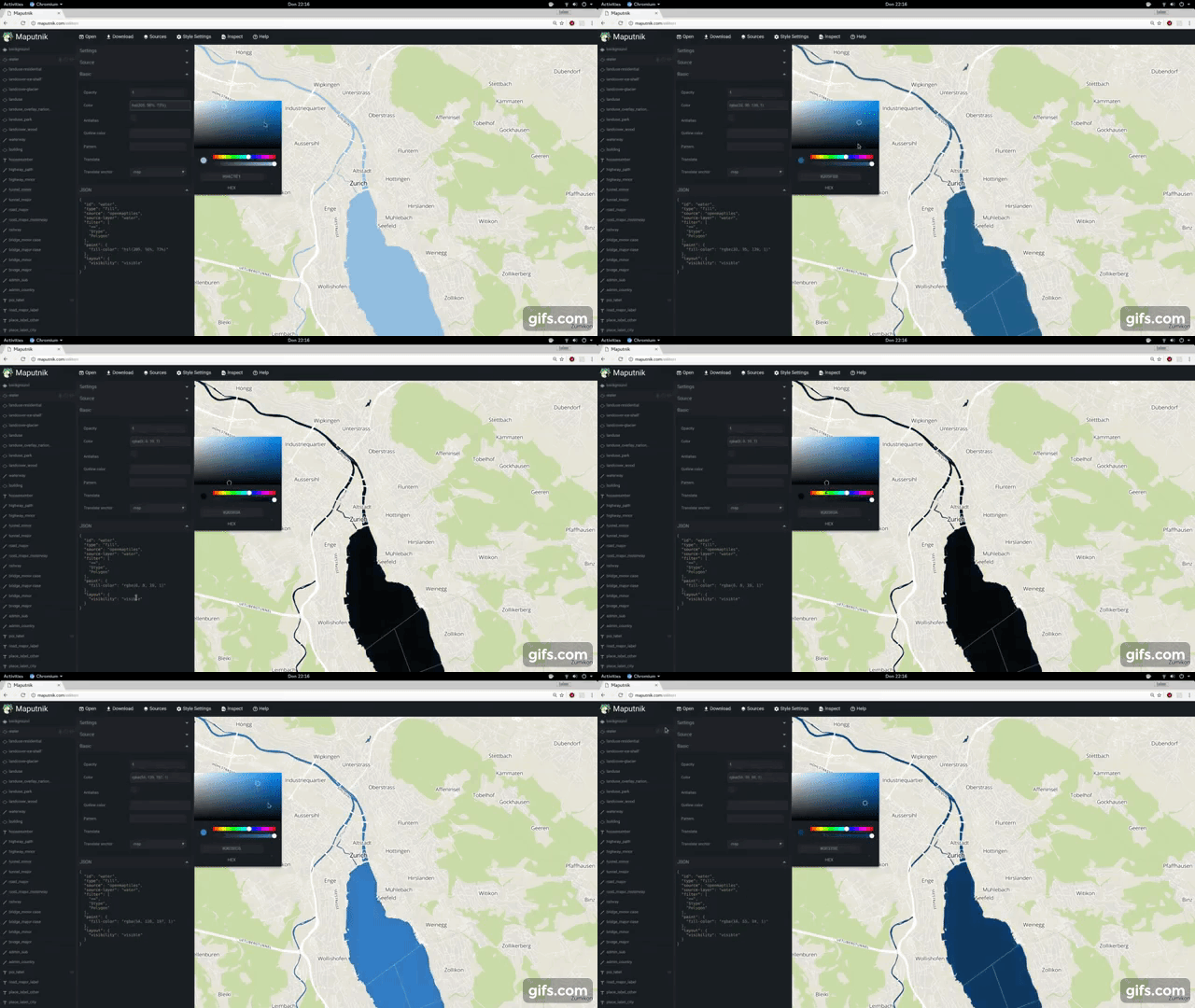
The documentation can be found in the Wiki. You are welcome to collaborate!
- 🔗 Study the Maputnik Wiki
- 📹 Design a map from Scratch https://youtu.be/XoDh0gEnBQo
Develop
Maputnik is written in typescript and is using React and MapLibre GL JS.
We ensure building and developing Maputnik works with the current active LTS Node.js version and above.
Check out our Internationalization guide for UI text related changes.
Getting Involved
Join the #maplibre or #maputnik slack channel at OSMUS: get an invite at https://slack.openstreetmap.us/ Read the the below guide in order to get familiar with how we do things around here.
Install the deps, start the dev server and open the web browser on http://localhost:8888/.
# install dependencies
npm install
# start dev server
npm run start
If you want Maputnik to be accessible externally use the --host option:
# start externally accessible dev server
npm run start -- --host 0.0.0.0
The build process will watch for changes to the filesystem, rebuild and autoreload the editor.
npm run build
Lint the JavaScript code.
# run linter
npm run lint
npm run lint-css
npm run sort-styles
Tests
End-to-end tests
For E2E testing we use Playwright. The tests live in the e2e directory and drive the app through the MaputnikDriver page object.
The first time you run the tests, install the browser:
npx playwright install chromium
Playwright automatically starts the dev server (npm run start) for you, so you can just run:
npm run test
Some useful options:
# see the tests run in a headed browser
npm run test -- --headed

# run a single spec / filter by title
npm run test -- e2e/map.spec.ts
npm run test -- -g "zoom level"

# open the interactive UI mode
npx playwright test --ui
Running the E2E tests also produces a code-coverage report in coverage/ (collected via istanbul instrumentation of the dev server).
Unit & component tests
Unit tests and component tests run with Vitest; component tests (*.browser.test.tsx) use Vitest's browser mode with the Playwright provider.
npm run test-unit
Release process
- Review
CHANGELOG.md- Double-check that all changes included in the release are appropriately documented.
- To-be-released changes should be under the "main" header.
- Commit any final changes to the changelog.
- Run Create bump version PR by manual workflow dispatch and set the version number in the input. This will create a PR that changes the changelog and
package.jsonfile to review and merge. - Once merged, an automatic process will kick in and creates a GitHub release and uploads release assets.
Sponsors
Thanks to the supporters of the Kickstarter campaign. This project would not be possible without these commercial and individual sponsors. You can see this file's history for previous sponsors of the original Maputnik repo. Read more about the MapLibre Sponsorship Program at https://maplibre.org/sponsors/.
License
Maputnik is licensed under MIT and is Copyright (c) Lukas Martinelli and Maplibre contributors. As contributor please take extra care of not violating any Mapbox trademarks. Do not get inspired by other map studios and make your own decisions for a good style editor.