 dependabot[bot]
2e5a5406da
dependabot[bot]
2e5a5406da
Bumps [ol](https://github.com/openlayers/openlayers) from 10.10.0 to 10.11.0. <details> <summary>Release notes</summary> <p><em>Sourced from <a href="https://github.com/openlayers/openlayers/releases">ol's releases</a>.</em></p> <blockquote> <h2>v10.11.0</h2> <h1>10.11.0</h1> <p>The 10.11 release improves styling, raster data and OGC service support, and makes the library leaner to load. The highlights are</p> <ul> <li>Canvas styles now evaluate the <code>color</code> and <code>array</code> operators, and <code>interpolate</code> mixes colors in sRGB on both the Canvas and WebGL renderers; a new <code>interpolate-hcl</code> operator keeps the perceptual gradient</li> <li><code>ol/source/Raster</code> gains basic data tile support, and the GeoZarr source can visualize generic n-D datacubes and accepts <code>storeOptions</code> for headers and credentials</li> <li>WMTS sources no longer derive their extent from the tile matrices, so layers that cover a wider area at low zoom levels are no longer cut off</li> <li>Tiles that the current view no longer needs are dropped from the queue, and the WebGL text overlay worker is loaded on demand</li> <li>The <code>VectorImageLayer</code> gets crisp rendering on rotated views, with rotated text and point symbols</li> <li>New <code>wrapX</code> option for <code>getPixelFromCoordinate</code> and <code>getCoordinateFromPixel</code>, and <code>projection</code> options for the WKT format</li> <li>Fixes for RTL text along lines, nested WFS 2.0 feature collections, empty GeoJSON coordinate arrays, and MouseWheelZoom target cleanup</li> </ul> <h3>Upgrade notes</h3> <h4>Fixed GeoJSON parsing of geometries with empty coordinate arrays</h4> <p>Previously, a GeoJSON geometry with an empty coordinates array (e.g. <code>{"type": "Point", "coordinates": []}</code>) produced a geometry with an empty coordinates array. We have now changed this to match the GeoJSON spec's recommendation to treat such geometries (except <code>GeometryCollection</code>) as <code>null</code> geometries. This change should not affect application code, unless it had special handling for geometries with empty coordinates arrays.</p> <h4>Fixed: <code>interpolate</code> mixed colors differently on the Canvas and WebGL renderers</h4> <p>The <code>['interpolate', ...]</code> operator interpolated colors in the Hue-Chroma-Luminance space on the Canvas renderer, but component-wise in sRGB on the WebGL renderer. The same style produced different gradients depending on which renderer drew it, and neither behaviour was documented. Both now interpolate in sRGB.</p> <p>Gradients built with <code>interpolate</code> over colors will look slightly different on the Canvas renderer. To keep the previous appearance, use the new <code>interpolate-hcl</code> operator:</p> <pre lang="js"><code>// Before const style = { 'fill-color': ['interpolate', ['linear'], ['get', 'value'], 0, 'red', 1, 'green'], }; </code></pre> <pre lang="js"><code>// After - to keep the perceptual gradient const style = { 'fill-color': ['interpolate-hcl', ['linear'], ['get', 'value'], 0, 'red', 1, 'green'], }; </code></pre> <p><code>interpolate-hcl</code> is only supported by the Canvas renderer for now.</p> <p>With the <code>['interpolate', ...]</code> operator, channels now keep their fractional part, so operations applied on top of an interpolated color are more accurate. Code reading back a color from an evaluated style may now see a fractional channel.</p> <h4>The WMTS tile grid extent is no longer calculated from the tile matrices</h4> <!-- raw HTML omitted --> </blockquote> <p>... (truncated)</p> </details> <details> <summary>Commits</summary> <ul> <li><a href="https://github.com/openlayers/openlayers/commit/88fc44564552176b761dbb9531f9977386d041c0"><code>88fc445</code></a> Updates for the 10.11.0 release</li> <li><a href="https://github.com/openlayers/openlayers/commit/66e841c8833e858a9ddb1d2e66b5a7c9fa8891da"><code>66e841c</code></a> Merge pull request <a href="https://redirect.github.com/openlayers/openlayers/issues/17606">#17606</a> from ahocevar/cog-examples-source</li> <li><a href="https://github.com/openlayers/openlayers/commit/fc449f3b8bf83034ff529794bfe5a479126ca07e"><code>fc449f3</code></a> Merge pull request <a href="https://redirect.github.com/openlayers/openlayers/issues/17646">#17646</a> from zarathustracode/wkt-projection-options</li> <li><a href="https://github.com/openlayers/openlayers/commit/90cbd4a029d67ea5b46caf57beb67572b0d925d9"><code>90cbd4a</code></a> Merge pull request <a href="https://redirect.github.com/openlayers/openlayers/issues/17653">#17653</a> from openlayers/dependabot/npm_and_yarn/development...</li> <li><a href="https://github.com/openlayers/openlayers/commit/9f1b6268c7b0add6317ecdf52b77f954d0adfe0a"><code>9f1b626</code></a> Merge pull request <a href="https://redirect.github.com/openlayers/openlayers/issues/17655">#17655</a> from openlayers/dependabot/npm_and_yarn/production-...</li> <li><a href="https://github.com/openlayers/openlayers/commit/0c9e5429b4cc309c38e198408d856d4e8639229c"><code>0c9e542</code></a> Merge pull request <a href="https://redirect.github.com/openlayers/openlayers/issues/17656">#17656</a> from openlayers/dependabot/github_actions/actions-7...</li> <li><a href="https://github.com/openlayers/openlayers/commit/c1883341b0011d7c7cf4eacc6b105b90d81b42f7"><code>c188334</code></a> Merge pull request <a href="https://redirect.github.com/openlayers/openlayers/issues/17650">#17650</a> from Egge-Jan/custom-controls-north-arrow</li> <li><a href="https://github.com/openlayers/openlayers/commit/7d43f53abca7ffd346252497e2fddfd2df0a6188"><code>7d43f53</code></a> chore(deps): bump the actions group across 1 directory with 2 updates</li> <li><a href="https://github.com/openlayers/openlayers/commit/5a9ab4326db85930141c924d49cf6817e188a2f0"><code>5a9ab43</code></a> chore(deps-dev): bump the development-security group across 1 directory with ...</li> <li><a href="https://github.com/openlayers/openlayers/commit/27dfb990e413fc250ab0ba48da26f819dc184dad"><code>27dfb99</code></a> chore(deps): bump earcut</li> <li>Additional commits viewable in <a href="https://github.com/openlayers/openlayers/compare/v10.10.0...v10.11.0">compare view</a></li> </ul> </details> <br /> [](https://docs.github.com/en/github/managing-security-vulnerabilities/about-dependabot-security-updates#about-compatibility-scores) Dependabot will resolve any conflicts with this PR as long as you don't alter it yourself. You can also trigger a rebase manually by commenting `@dependabot rebase`. [//]: # (dependabot-automerge-start) [//]: # (dependabot-automerge-end) --- <details> <summary>Dependabot commands and options</summary> <br /> You can trigger Dependabot actions by commenting on this PR: - `@dependabot rebase` will rebase this PR - `@dependabot recreate` will recreate this PR, overwriting any edits that have been made to it - `@dependabot show <dependency name> ignore conditions` will show all of the ignore conditions of the specified dependency - `@dependabot ignore this major version` will close this PR and stop Dependabot creating any more for this major version (unless you reopen the PR or upgrade to it yourself) - `@dependabot ignore this minor version` will close this PR and stop Dependabot creating any more for this minor version (unless you reopen the PR or upgrade to it yourself) - `@dependabot ignore this dependency` will close this PR and stop Dependabot creating any more for this dependency (unless you reopen the PR or upgrade to it yourself) </details> Signed-off-by: dependabot[bot] <support@github.com> Co-authored-by: dependabot[bot] <49699333+dependabot[bot]@users.noreply.github.com>

Maputnik


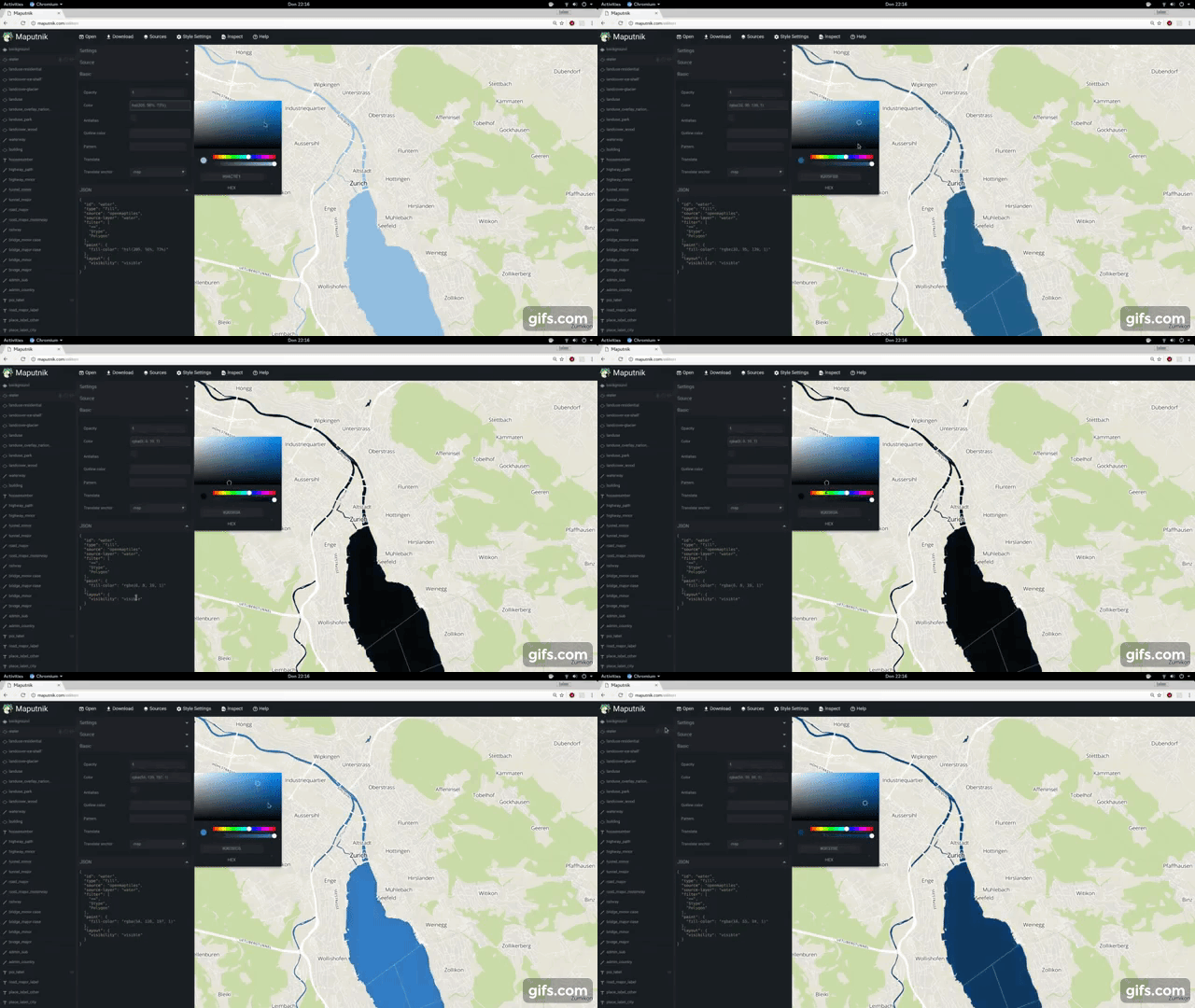
A free and open visual editor for the MapLibre GL styles targeted at developers and map designers.
Usage
- 🔗 Design your maps online at https://www.maplibre.org/maputnik/ (all in local storage)
- 🔗 Use the Maputnik CLI for local style development
- In a Docker, run this command and browse to http://localhost:8888, Ctrl+C to stop the server.
docker run -it --rm -p 8888:8000 ghcr.io/maplibre/maputnik:main
To see the CLI options (for example file watching or style serving) run:
docker run -it --rm -p 8888:8000 ghcr.io/maplibre/maputnik:main --help
You might need to mount a volume (-v) to be able to use these options.
Documentation
The documentation can be found in the Wiki. You are welcome to collaborate!
- 🔗 Study the Maputnik Wiki
- 📹 Design a map from Scratch https://youtu.be/XoDh0gEnBQo
Develop
Maputnik is written in typescript and is using React and MapLibre GL JS.
We ensure building and developing Maputnik works with the current active LTS Node.js version and above.
Check out our Internationalization guide for UI text related changes.
Getting Involved
Join the #maplibre or #maputnik slack channel at OSMUS: get an invite at https://slack.openstreetmap.us/ Read the the below guide in order to get familiar with how we do things around here.
Install the deps, start the dev server and open the web browser on http://localhost:8888/.
# install dependencies
npm install
# start dev server
npm run start
If you want Maputnik to be accessible externally use the --host option:
# start externally accessible dev server
npm run start -- --host 0.0.0.0
The build process will watch for changes to the filesystem, rebuild and autoreload the editor.
npm run build
Lint the JavaScript code.
# run linter
npm run lint
npm run lint-css
npm run sort-styles
Tests
End-to-end tests
For E2E testing we use Playwright. The tests live in the e2e directory and drive the app through the MaputnikDriver page object.
The first time you run the tests, install the browser:
npx playwright install chromium
Playwright automatically starts the dev server (npm run start) for you, so you can just run:
npm run test
Some useful options:
# see the tests run in a headed browser
npm run test -- --headed

# run a single spec / filter by title
npm run test -- e2e/map.spec.ts
npm run test -- -g "zoom level"

# open the interactive UI mode
npx playwright test --ui
Running the E2E tests also produces a code-coverage report in coverage/ (collected via istanbul instrumentation of the dev server).
Unit & component tests
Unit tests and component tests run with Vitest; component tests (*.browser.test.tsx) use Vitest's browser mode with the Playwright provider.
npm run test-unit
Release process
- Review
CHANGELOG.md- Double-check that all changes included in the release are appropriately documented.
- To-be-released changes should be under the "main" header.
- Commit any final changes to the changelog.
- Run Create bump version PR by manual workflow dispatch and set the version number in the input. This will create a PR that changes the changelog and
package.jsonfile to review and merge. - Once merged, an automatic process will kick in and creates a GitHub release and uploads release assets.
Sponsors
Thanks to the supporters of the Kickstarter campaign. This project would not be possible without these commercial and individual sponsors. You can see this file's history for previous sponsors of the original Maputnik repo. Read more about the MapLibre Sponsorship Program at https://maplibre.org/sponsors/.
License
Maputnik is licensed under MIT and is Copyright (c) Lukas Martinelli and Maplibre contributors. As contributor please take extra care of not violating any Mapbox trademarks. Do not get inspired by other map studios and make your own decisions for a good style editor.